Easy and fast backup copies
We're constantly reminding you how important backup copies are. Now let us repeat it once more, and also recommend you this app for your backups.
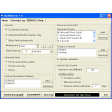
Areca Backup is a plainly designed open source tool with which you can make backup copies of all your important documents on a regular basis. Despite Areca Backup's simple appearance, I personally found the program to be quite difficult to use, mainly due to the usage of strange concepts (such as a "workspace", which I still don't know what is for) and the fact that they actually refer to backup copies as "targets", which took me a while to find out.
Other than that, Areca Backup features the classic options and tools in this kind of software apps. On the downside, it lacks the possibility to schedule copies. However, it does make up for it by offering support for incremental backups, file compression, FTP server and other goodies.
Areca Backup is a backup tool that is simple in design, but a bit confusing to use. While Areca Backup lacks backup automation tools, it also offers some extra options like file compression and support for incremental backups.







.png)




















User reviews about Areca Backup
by Anonymous
Very efficient once set up.
I've been using Areca for some years now : a little bit complex to set up at first glance, but very easy to use on a daily basis once the configuration is done !
Used it a lot of time to recover lost files, without any problem
Pros:
Incremental backups A LOT of options : very versatile
Cons:
Online help
Built-in scheduler More